project photos for contractor website
How to Take Better Project Photos for Your Website (Phone Only)

Across every trade we work with, the single biggest difference between a site that sells and a site that sits there is the photos. Real photos of your actual work beat stock images and slick design every time. The catch is that rough, dark, cluttered photos can make even beautiful work look amateur. The good news: you do not need a fancy camera. The phone in your pocket is more than enough, if you use it well.
Here are the tips that make the biggest difference, none of which require any gear.
1. Shoot in good light
Light is everything. Natural daylight is your best friend. For interiors, open the blinds and turn on the lights. For exteriors, the soft light of mid-morning or late afternoon is far kinder than harsh noon sun. Avoid using your phone’s flash; it flattens everything and casts ugly shadows. If a room is dark, more lamps beat the flash every time.
2. Clean up the frame first
This one is free and makes a huge difference. Before you shoot, take thirty seconds to remove the clutter: the stray tools, the coffee cup, the drop cloth, the cords. A tidy frame makes the work look finished and professional. Customers notice the mess even when you do not.
3. Hold it level and steady
A crooked photo reads as careless, which is the last thing a contractor wants to suggest. Turn on your phone’s grid lines (in the camera settings) and line up the horizontals and verticals. Hold steady, or brace against a wall. Straight lines make work look precise.
4. Take the before, every single time
This is the one contractors forget and then regret. The before-and-after is the most persuasive thing you can show, but you only get the “before” once. Make it a habit: every job, snap a few quick shots before you touch anything. Your future website will thank you. We lean on these constantly in trades like masonry and remodeling, where the transformation is the whole story.
5. Get a mix of wide and close
Wide shots show the whole project and give context. Close-up detail shots show your craftsmanship: the clean caulk line, the tight joint, the finish. You want both. The wide shot makes them say “nice,” the detail shot makes them say “these people are good.” This matters even more for visual trades like cabinetry.
6. Shoot more than you think you need
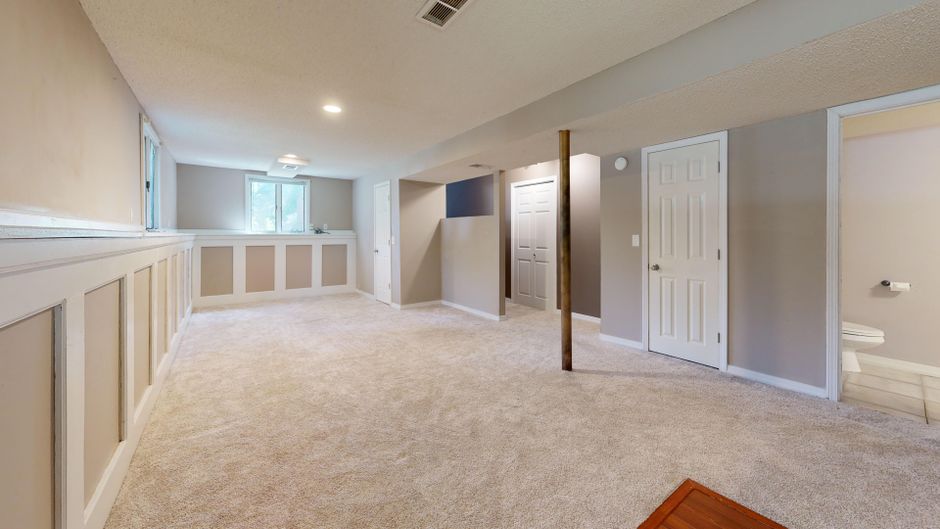
Storage is free and reshoots are not, because the job is done and the site is clean. Take plenty: different angles, different rooms, a few verticals for phone screens and a few horizontals for the website. You can always pick the best later; you cannot go back and get more.
7. A note on using them online
Once you have great photos, they need to be used right on the site: sized properly so they load fast, and given descriptive file names and alt text so they help your SEO. Google explains the basics in its Google Images guidelines. That technical side is something we handle for you, but great source photos start with you on the job site.
Put those photos to work
Great photos deserve a great home. Once you have them, the right website turns them into booked jobs. See how we showcase real work across our projects and the trades we serve, and when you are ready, send us your best shots and we will build them a site worth showing off. First, make sure you have the features that actually win jobs in place.
Roman Bostan
Web Designer, Seva Web Studio
Roman designs the clean, photo-led websites Seva Web Studio is known for. He writes about design, branding, photography, and making trade work look as good online as it does in person.