
apple maps business listing
Google Isn't the Only Map: The Listings Most Local Businesses Skip
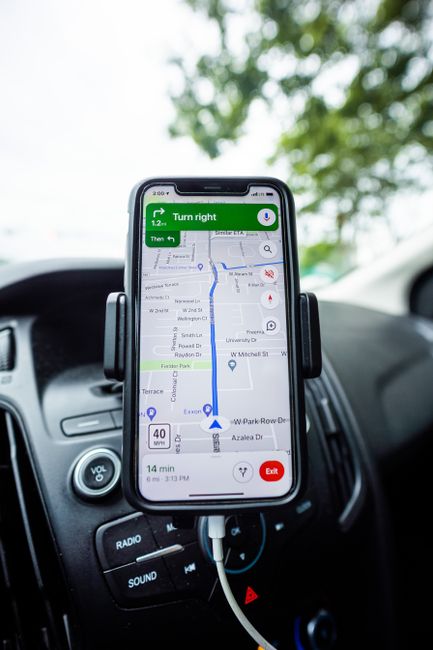
Local search advice is almost entirely about Google, and for good reason. But there is a blind spot in that advice that costs real jobs, and you can see it by picking up an iPhone. Tap the maps icon and you do not get Google. Ask Siri to find a plumber nearby and the answer does not come from Google either. Roughly half the phones in most American service areas are iPhones, and their default map is a system you have probably never logged into.
None of this replaces your Google Business Profile. If you have not done that one properly yet, start there with our setup guide, because it remains by far the biggest single source of local calls. What follows is the hour of work that comes after it.
Apple Business Connect
Apple's free tool for claiming and managing how your business appears across Apple Maps, Siri, Spotlight search and Apple's other services is called Apple Business Connect. It replaced the older and much thinner Apple Maps Connect, and the current version lets you control a lot more: your name, address, hours, phone, category, photos, and a logo that appears as your pin on the map.
You sign in with an Apple Account, search for your business, and claim it. Apple verifies ownership, usually by phone call or by a documentation check for larger businesses. Once you are in, three things are worth the effort: correct hours, a real logo so your pin is recognisable rather than a generic category icon, and photos of actual work.
Bing Places, which matters more than it used to
Bing's own share of search has always been modest, and for years that was a fair reason to ignore Bing Places for Business. That reasoning has weakened. Bing's index is what sits underneath Microsoft Copilot, it feeds results across Windows and Edge, and it is one of the sources AI assistants draw on when they answer a question about a local business. A listing you set up once and never touch again is cheap insurance against being absent from a channel that keeps growing.
Bing Places has a genuinely useful shortcut: it can import your existing Google Business Profile directly, which fills in most of the listing in a couple of clicks. Import it, check that everything came across correctly, then verify by phone, email or postcard.
The one nobody mentions: OpenStreetMap
OpenStreetMap is a community-maintained map database, and a surprising number of apps, fitness trackers, delivery services and in-car navigation systems draw on it rather than on Google or Apple. It is not going to be a major lead source. But adding your business is free and takes a few minutes, and it quietly improves the odds that a driver following their car's built-in navigation actually arrives at your door.
What to do in one afternoon
| Platform | Who sees it | Setup time |
|---|---|---|
| Google Business Profile | Anyone searching Google or Google Maps. Still the main event | 1 to 2 hours to do properly |
| Apple Business Connect | iPhone and Mac users via Apple Maps, Siri and Spotlight | 20 to 30 minutes plus verification |
| Bing Places | Bing, Edge, Windows search and Microsoft Copilot | 10 minutes if you import from Google |
| OpenStreetMap | Third-party apps and many in-car navigation systems | 10 minutes |
Get the details identical before you start
There is one rule that matters more than which platforms you pick. Your business name, address and phone number must be written exactly the same way everywhere, down to whether you use Street or St and whether the suite number sits on its own line. Search engines use these listings to corroborate that you are a real business at a real location, and inconsistent details weaken that signal instead of strengthening it.
Before you create anything, write your name, address and phone into a note on your phone in their final form, then copy and paste from that note every single time. Our piece on NAP consistency explains why this boring detail moves rankings more than most of the things people worry about.
If you would rather this was simply done and checked, it is part of every local SEO engagement we run. Tell us where you are and we will audit what already exists under your name across all four.
Brandon Hudson
Developer, Seva Web Studio
Brandon builds the fast, modern code behind every Seva Web Studio site. He writes about the technical side: site speed, local SEO, Google Business Profiles, and how search engines actually work.
